branchly®
Book demo

Product updates

Product updates

All new features, improvements, and fixes across the branchly platform — transparently and chronologically documented.

Announcement

Tracking integrations, WebMCP & new dashboard layout

Tracking: Google Analytics, Matomo, Umami & GTM

Google Analytics, Matomo, Umami, and the Google Tag Manager are now supported. In the dashboard under “Tracking”, activate your provider with one click — no changes to your website needed. You manage your events as usual in your analytics tool; branchly ingests them and links them to the matching session. In insights and conversations you can see what a visitor did on the page before and after a request — and the AI knows the page context and answers more fittingly.
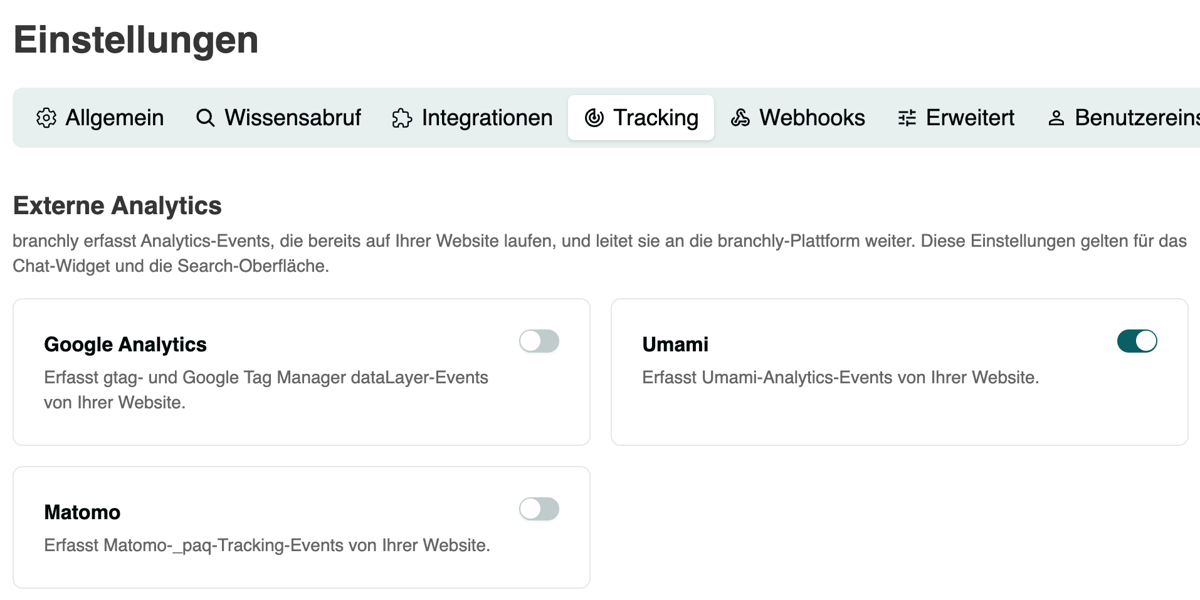
Tracking integrations in the dashboard

WebMCP: branchly tools directly in the browser

WebMCP is a young standard that lets AI agents in the browser interact directly with your website. Recent Chrome versions ship it already, and the Lighthouse report now evaluates WebMCP tools under “Agentic Browsing” — pages with configured WebMCP tools score better there, which also helps search visibility. With WebMCP you control how ChatGPT, Claude, or other agents interact with your website. Set it up in the dashboard under Headless → WebMCP; calls run through the branchly backend and are validated by website origin — API keys stay server-side.
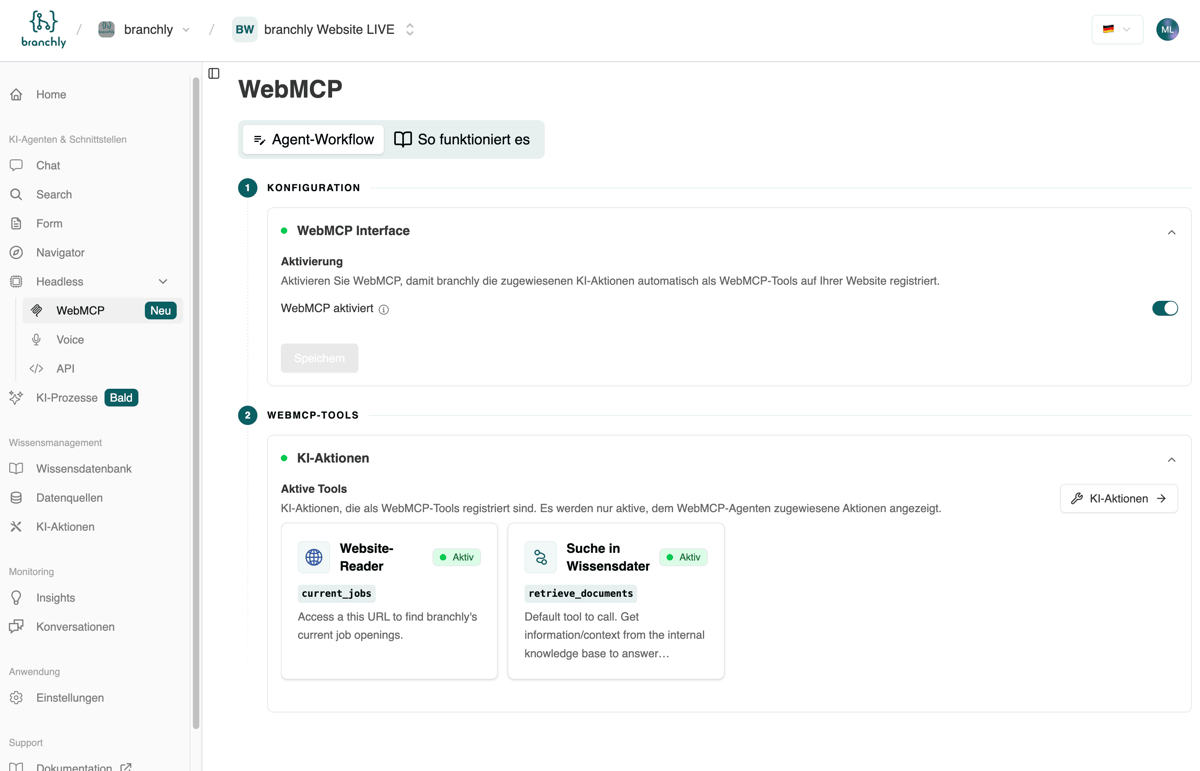
branchly dashboard with WebMCP

New dashboard layout

We restructured the dashboard, especially the pages for interfaces and AI agents: settings are consolidated, and you can more easily see which ones affect the AI process — grouped by agent type or interface.

MCP server with OAuth

The branchly MCP server now supports OAuth — direct access from the online versions of ChatGPT, Claude, or Langdock. Instructions are in the documentation.
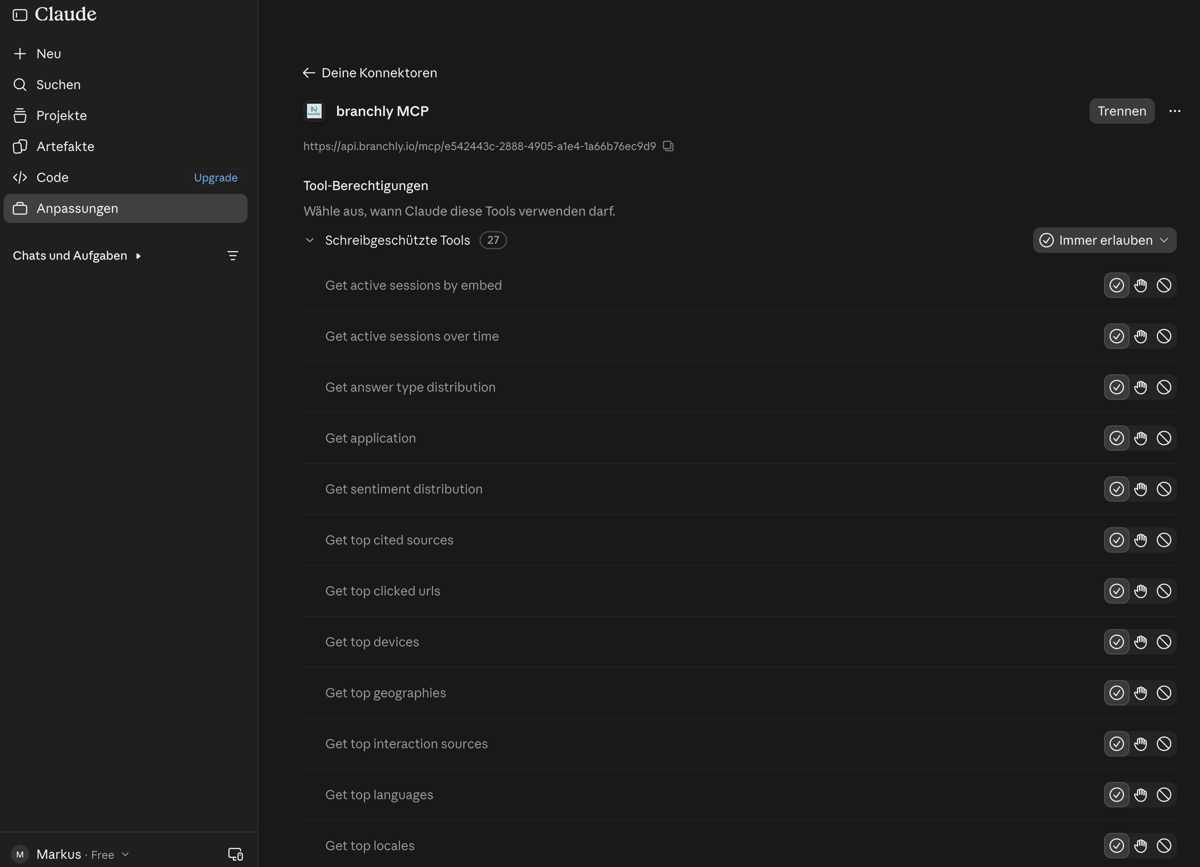
branchly MCP server in Claude

Other updates

  • Hide suggested questions on desktop: Suggested questions in chat can now be dismissed on desktop too — as previously on mobile.
  • URL filter in search: Results can be narrowed down via a URL prefix filter (domain or path) — the AI can set this filter itself.
  • Details for every request: In conversations, you now see the detected language, intent, and topic per request — manually correctable.
  • Deep link to sessions: Open a session directly by its ID and share it as a link.
  • Revamped topics and intents chart for faster trend recognition.
  • WordPress: Exclude URLs from import using glob filters (e.g. internal or outdated pages).
  • Token endpoint for API data sources and AI actions: Bearer tokens via API key or username/password; branchly renews tokens automatically and retries a failed call once.
  • Content quality during indexing: Pages are rated for content quality and assigned a page type (based on the Google Search Quality Evaluator Guidelines). This helps fine-tune the web crawler and flags pages that may need rework.
  • content-ideas skill: A new skill for your agents that suggests content (FAQs, blog posts) based on real user requests.
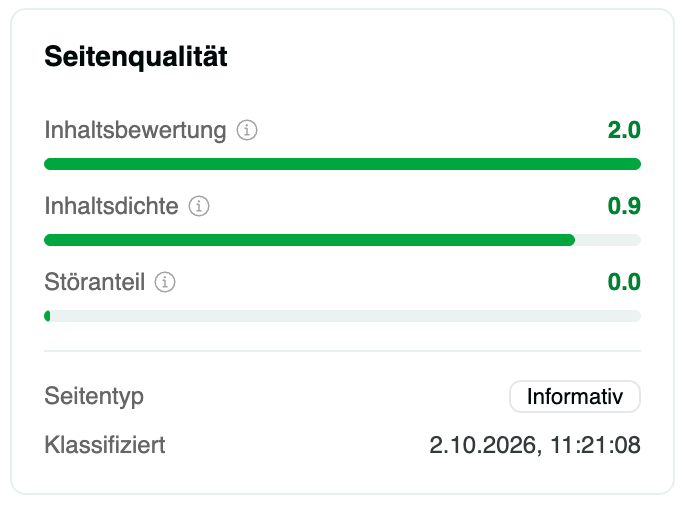
Page quality in the dashboard
Announcement

New form interface, localized AI actions & search embed

New interface

Form interface (beta): Alongside chat, search, and navigator, there is now a fourth native interface on your website. Visitors describe their request in natural language; the built-in form agent checks it against your knowledge base and AI actions and answers in real time. If that is not enough or the visitor wants to make a specific request, the matching form opens automatically with pre-filled fields. Data is submitted in a structured way (e.g. for callbacks or support tickets via webhook). Texts, design, and form fields can be customized directly in the dashboard.

Chat & search

  • Localized status messages for AI actions: When the branchlyAI is active in the background (e.g. knowledge base search or API calls), helpful status messages now appear automatically in the user's language.
  • Custom search button: The AI search embed was reworked — with a standard button whose design you can tailor to your website.
  • Complete translation of all interface elements: Translations now apply to every text without exception — including suggested questions and static texts, with no manual configuration.

Data sources & integrations

  • Separate prompts for API integrations: For headless connections (e.g. external messengers like WhatsApp), you can configure separate prompts for routing and answer output — for clean text output without incompatible web elements.
  • Cancel running crawls: Website data source synchronizations can now be stopped manually at any time.
Announcement

branchly AI now on the phone: Voice is live

Voice is live: your own AI on the phone

  • No new system: Voice draws directly from your branchly knowledge base — what works in chat works on the phone.
  • No duplicate maintenance: content and rules are managed in one place and apply to all interfaces.
  • Your provider, your choice: we work with several telephony partners —  Pendura, The Red Phone, and Newcall. You decide which provider runs your voice agent.
  • Seamless handover: the AI resolves common requests and forwards complex cases directly to your team.

Questions about setup, pricing, or which provider fits you best? Book a call with Sebastian — 20 minutes, no commitment.

Announcement

New insights, public API & intent detection

Interfaces

  • Hide the chat widget selectively: Define URL patterns on which the chat widget is automatically hidden — ideal for checkout or login pages, for example.
  • More consistent search presentation: The embedded search interface is now fully isolated from your website's styling — it looks exactly as configured in the dashboard everywhere. Own CSS tweaks via the attribute data-custom-styles="true".
  • Suggested questions per node: View automatically generated suggested questions per knowledge base node and regenerate them if needed.
  • Faster AI answers: Streaming was optimized — answers appear noticeably faster and smoother.
  • Smaller embed: The JavaScript bundle for embeds was significantly reduced — chat and search load faster.
  • Various bug fixes in chat & search (including display issues with embedded search, styling corrections after the shadow DOM migration, URL parameters in chat answers, and chat bubble flickering).

Platform

  • Geography chart: See at a glance where your users come from — based on anonymized IP data (no IP addresses stored).
  • Tabs on the insights page: Overview, chat, search, classifications — better differentiation by interaction type.
  • Filter by AI action: In the conversations view, filter by the AI action used.
  • Voice sessions in insights: All voice sessions now appear in the analytics dashboard and the conversations view.
  • Topic & intent detection (beta): Conversations are automatically classified by topic and intent. Create your own categories, review AI suggestions, and track trends over time. Beta feature — activated by the branchly team.
  • Markdown editor for prompts: WYSIWYG editor with headings, lists, and code blocks.
  • New formatting options embed custom and page metadata directly into the prompt context.
  • Revamped node detail page with tabs (content, suggested questions, relations), drawers replaced with dialogs, and custom metadata is now correctly merged instead of overwritten during automatic updates.

API & integrations

  • Public chat API endpoint (public/v1/chat/qa): retrieve AI answers directly via API — ideal for WhatsApp, Slack, Teams, or your own app.
  • Public nodes API (public/v1/nodes): retrieve, filter, and search knowledge base content programmatically.
Announcement

Follow-up action suggestions, new insights & AI actions

Interfaces

  • Follow-up action suggestions: After the first interaction, the AI suggests suitable next steps — e.g. a follow-up question or navigation to a new page. This makes user guidance more individual and helps visitors reach relevant content faster. This was the most requested feature — the beta is now live. Contact us to get access.
  • Dedicated prompt for search: Search now has its own configurable prompt for AI answers — so search can respond differently from chat in a targeted way.
  • Various UX improvements in search & chat (e.g. the carousel).

Suggested questions

Insights

  • New charts: website locales, detected languages (chat), and device types.
  • Custom time ranges and better display of long URLs.
  • Chart for active sessions across all applications.

AI actions

  • New "API" AI action: The AI retrieves data from any API by filling in the required parameters itself — based on the user's input. Ideal if you prefer not to use an MCP server. The response can optionally be displayed as a carousel.
  • Knowledge base search: new formatting options for search results passed to the AI.
  • Custom & datetime boosting for search results (rerank settings): fine-tune the order of results — an advanced feature.

Data sources

New "webhook" data source: Push data directly to branchly via webhook — with your own API key. This simplifies integrations and automates data updates.

Prompt management

  • Full prompt history, including restoring older versions.
  • Prompt assistant is live: Helps optimize existing prompts or create new ones.

Voice

Pendura integration: Connect your branchly application with voice agents from Pendura. Your existing knowledge base is used (no separate maintenance needed), and all voice sessions including interactions are captured in insights & conversations.

Miscellaneous

  • Many UX improvements in the dashboard, including the node editor, new filters (e.g. by data source), and new metric cards.
Announcement

gpt-5, dashboard optimizations and more

Interfaces

  • After extensive testing, we now use gpt-5 from OpenAI (hosted in Azure) for question formulation — the answers deliver a higher quality level and optimally account for the user context.
  • The mobile search was optimized and works even better in combination with dynamic suggested questions.
  • Descriptions ("description") from website metadata can now be used as previews for search results.

Dashboard

  • Extended filter options for data source runs.
  • New color scheme and layout optimizations for a clearer presentation, especially in insights; the settings display was also revamped.
  • AI action results are now better presented in the conversation detail view.
  • Feedback forms for AI answers: If an answer was unsatisfactory, dashboard users can report it directly. This helps resolve requests faster and feeds into our "optimizer" concept.
  • Automated data deletion: Customers can now define in the dashboard from when interactions are automatically deleted.

Infrastructure

To keep up with strong growth, we moved part of our infrastructure to OVH Cloud and Cloudflare — more scalable and with noticeably improved performance for many end users.

Announcement

New insights page, liquid glass and more

New insights page

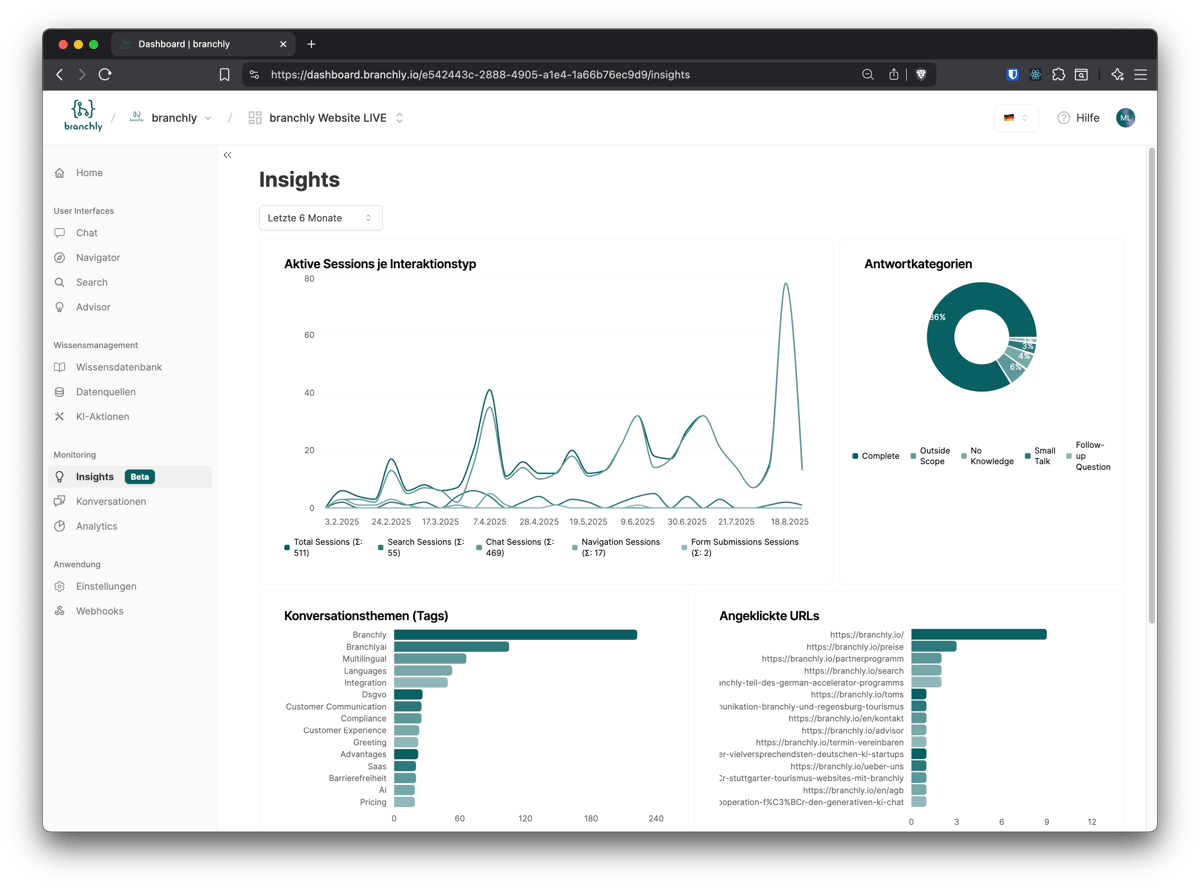
The new insights page is now live for all customers. We will keep expanding the reports and replace Tableau analytics with our own analytics. Planned additions: chat sentiment, the user's input language, the most relevant knowledge base nodes (across all interfaces), and clustering of search queries.

New insights page in the dashboard

User interface adjustments

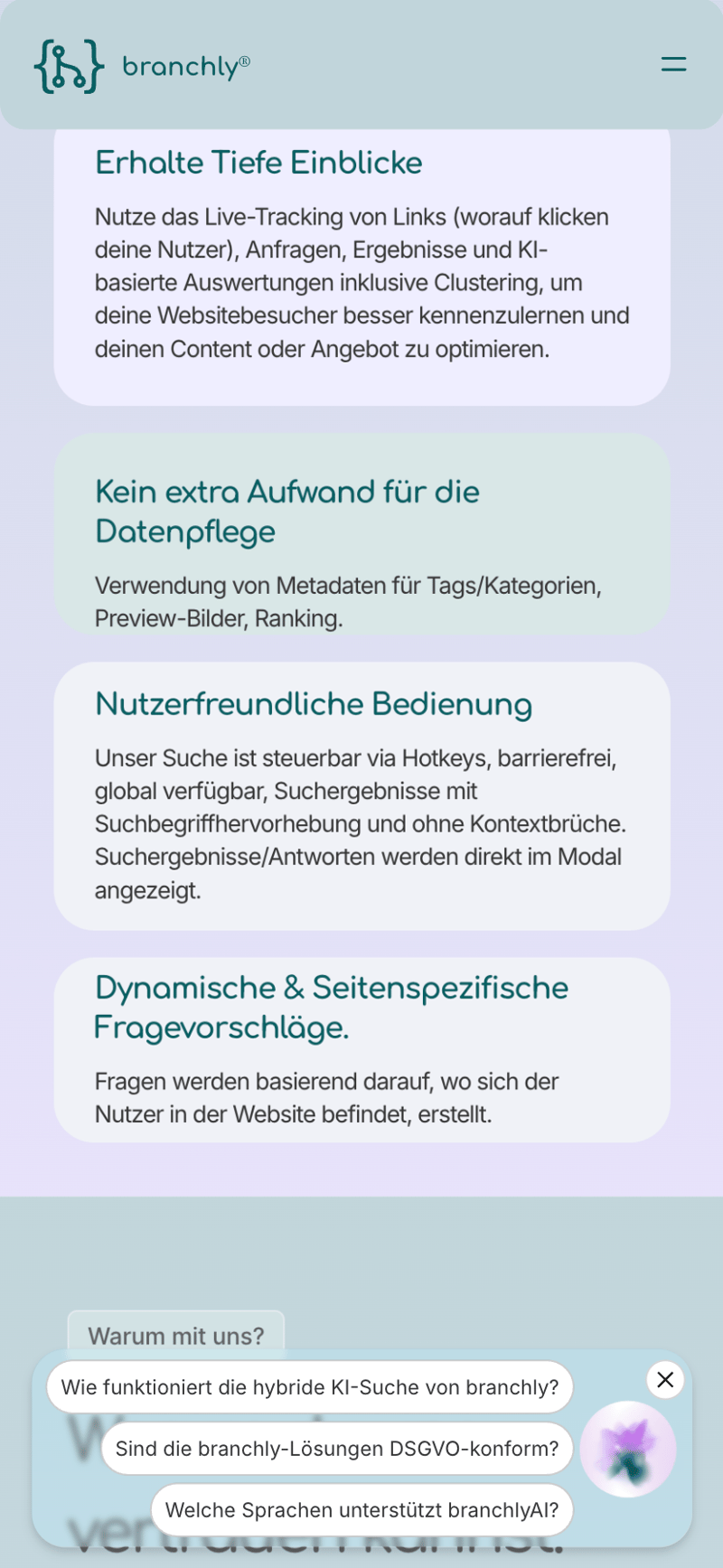
  • The mobile version of the suggested-question popups now uses a “liquid glass” effect that blends seamlessly into the website and highlights the dynamic questions.
  • Users of the search interface or the navigator can now narrow down results using filters (based on the tags automatically ingested from the data source). Metadata extraction in the web crawler/helpspace was also optimized.
  • All link clicks within the interfaces now carry URL parameters with the brly prefix — easier tracking in Google Analytics & Co.
  • Fine-tuning of the suggested questions feature.
  • Accessibility improvements in chat and search: “ring” effect in the primary color for better keyboard use, optimized labels, and an adjusted privacy notice.
  • All link clicks within our interfaces are tracked and shown on the insights page.
Liquid glass effect on suggested questions in the chat widget

Dashboard

  • Knowledge base: Improved table display and usage, advanced filtering and optional sorting.
  • AI actions: New filters for the knowledge base action (data source, data type); the website reader now handles dynamic content (iframes, external widgets) faster and more reliably.
  • Conversations: Full-text search and filtering by answer type (no knowledge, complete, etc.).
Announcement

Dynamically generated questions and chat optimizations

Dynamically generated suggested questions

Users now see dynamically generated example questions — based on the content of the current web page, previous interactions, and the AI persona. This provides personalized conversation starters, used in both the search interface and the chat widget. If the page is not in the knowledge base, the manually configured example questions are used instead. Enable the feature in the dashboard under “Search” / “Chat” → “Suggested questions” → “Dynamic from web page”.

Suggested questions feature

Three suggested questions above the chat bubble

In combination with dynamic questions, we now show relevant questions directly above the chat bubble — tailored to the website content and previous interactions. This motivates users to start a conversation with the branchlyAI. Enable it via the attribute data-chat-widget-popup-lg="questions" on the container (optionally for large, small, or both screen sizes). More details in the documentation.

Miscellaneous

  • Click events, such as clicking a search result or a link within an AI answer, are now tracked in the conversation views.
  • PDF links hosted on your site will now be shown as sources for AI answers.
  • Optimized use of space in the chat widget.
  • Improved loading times for conversations and metrics.
Announcement

Webhooks, LLM session analytics and more

Webhooks

Form submissions and events can now be sent via webhook to systems such as ticketing tools or CRMs. This lets branchly interfaces integrate seamlessly into your existing software landscape and enables valuable automations.

Web crawler

  • Additional configuration options such as filtering by page metadata and ignoring specific HTML elements or errors (e.g. a missing lang tag).
  • Capture page metadata based on OpenGraph attributes.

LLM-based session analytics

  • Detects knowledge gaps by classifying AI answers into four classes with additional tags.
  • Insights into user intentions via tags and sentiment analysis.
  • The dashboard view will go live for all customers in the coming days — existing conversations will be enriched with session analyses retroactively.

Other improvements

  • New parent_context retrieval method in the knowledge base: gives the LLM broader context across all contexts of a node.
  • Infrastructure upgrade for more efficient processing of large data volumes.
  • Improved backend processes for ingesting data via the web crawler.

Details on the new features can be found in our documentation.

Announcement

AI-powered forms & other improvements

Forms are here

Forms are now generally available for the Search Navigator and the chat interfaces. Users can fill out forms directly inside our interfaces — for a seamless experience instead of static forms.

  • Form Builder in the dashboard with five common input types; more fields (e.g. file upload) are added continuously.
  • In chat, the AI agent pre-fills form fields based on the conversation.
  • Optional automatic email forwarding on submission, including the full session history.
  • In the Search Navigator, connect forms via a tool node.
  • Submitted forms are visible under “Conversations”; sessions can be filtered by form submissions.

Details are available in the documentation.

Other updates

  • Search Navigator: Shows the source URL for crawled nodes, improved highlighting for multi-word searches, and our own reranker for better and faster search results.
  • Chat interfaces: A notice that chat answers are AI-generated — to meet EU AI Act requirements.
  • Accessibility: All user interfaces are now accessible.
  • Conversations: Filter by interaction type (search, navigation, form, chat), form submissions shown as a table within the session, improved scrollbar behaviour, and correct rendering of navigation nodes.
  • Home: Shows the latest data source runs plus layout improvements.
  • Data sources: Can now be started with “Save and run”.

Experience branchly today!

Book appointment