Agent Skills | Definition & Benefits
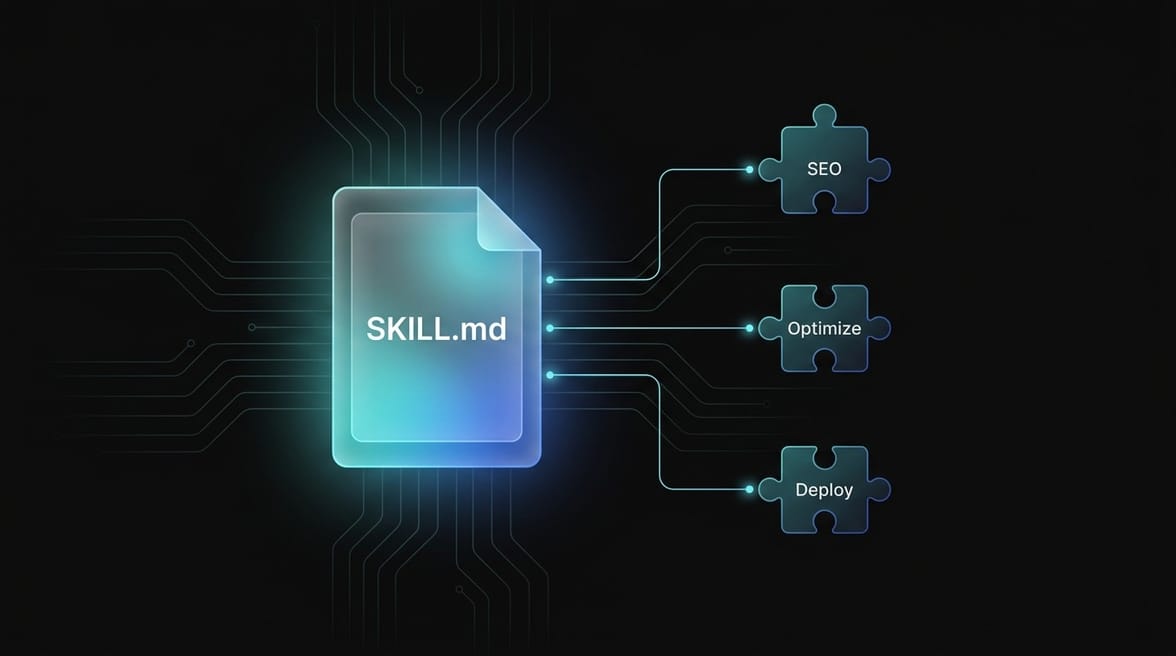
Agent Skills are modular text files — usually in the format `SKILL.md` — that provide an AI agent with procedural knowledge for a specific, recurring task.
What are Agent Skills?
Agent Skills are modular text files — mostly in the SKILL.md format — that provide an AI agent with procedural knowledge for a specific, recurring task. Instead of repeatedly explaining to an agent how to proceed in every session, a skill file outlines the complete workflow once: step-by-step, with rules, constraints, and context. The agent automatically loads the skill file as soon as it detects that a task falls within its scope.
The simplest analogy: A skill is an agent's long-term memory for processes — comparable to the onboarding manual a new employee reads before taking over a recurring task independently. Except that the agent doesn't forget the manual, doesn't misinterpret it, and reliably applies it with every execution.
Skills emerged as a response to a structural problem of agentic AI: Every new conversation starts from scratch. Without saved process knowledge, the user must explain the context over and over again — which is tedious, error-prone, and not scalable. Agent Skills solve this by making process know-how versioned, portable, and directly retrievable by the agent.
How do Agent Skills work?
A skill file is structured Markdown with YAML front matter. The basic principle is simple:
Upon startup, the agent reads the metadata of all available skills — name and description. If a user query matches the description of a skill, the agent loads the full skill file and executes the steps described therein. This is called Progressive Disclosure: The agent only loads what it currently needs, thereby conserving the context window.
A complete skill folder can contain other files in addition to the SKILL.md:
Directory | Content |
|---|---|
| Executable helper scripts that the agent can use |
| Additional documentation, standards, reference works |
| Reference implementations and sample outputs |
| Templates, assets, mockups |
The agent only accesses these files when the main instructions require it — a well-thought-out system for token efficiency in complex workflows.
Discovery, Activation, Execution
Skills follow a three-phase model:
Discovery — Upon startup, the agent only reads the metadata (name + description). No overhead, no unnecessary context usage.
Activation — If the agent detects that the current task matches the skill, it loads the complete
SKILL.mdinto its context.Execution — The agent executes the process described in the skill and, if necessary, accesses additional files (scripts, references).
Why Agent Skills are changing the way we work with AI Agents
The "Blank Slate" problem
Every new agent session starts with no memory of previous sessions. Anyone who works with AI agents daily knows this: you explain the same context over and over again — folder structures, naming conventions, process steps, quality standards. This takes time and creates inconsistencies.
Agent Skills solve this problem structurally. Once defined, the process knowledge is accessible to any agent working on that project. Onboarding a new agent takes seconds instead of hours.
Version control for AI behavior
Skills are versioned as text files in the Git repository. This means: changes to agent behavior are traceable, reviewable, and reversible — just like any other code change. Teams can review, discuss, and improve skills via pull requests.
Portability across Agent systems
A well-written skill works with Claude Code, Cursor, GitHub Copilot, Google Gemini CLI, Antigravity, and other modern AI agents. The SKILL.md format is not a proprietary standard of a single provider, but has established itself as the de facto industry standard.
The ecosystem: skills.sh
In early 2026, Vercel launched skills.sh, a public registry for Agent Skills — the "npm for AI agent capabilities". Developers and teams publish their skills there, while others install them via CLI:
Skills.sh ranks skills based on anonymous installation telemetry data and offers security audits by three independent verifiers (Gen Agent Trust Hub, Socket, Snyk). The registry includes skills for React, Next.js, databases, testing, marketing, agent workflows, and more.
branchly Agent Skills: Workflow Optimization
branchly goes a decisive step further with Agent Skills: The company publishes its own skills, tailored to the branchly platform, in the public skills registry and combines them with its MCP Server.
The optimize-application Skill
The optimize-application skill is branchly's flagship skill. It describes a systematic debug and optimization workflow for branchly RAG chatbot applications — and is directly connected to the branchly MCP Server.
The skill automatically activates when the agent detects queries such as:
"Optimize my branchly application"
"The chatbot is not responding correctly" or "Bot is giving wrong answers"
no_knowledgeoroutside_scoperesponses in the session log"Debug my chatbot" or "Retrieval problem in chatbot"
"Improve retrieval" or "Correct bot answers"
The mental model behind the skill: Every chatbot error breaks exactly one of three contracts.
The skill guides the agent through session triage, retrieval quality check, prompt/tool alignment, and data source diagnosis — structured, reproducible, and with the branchly MCP Server as a live data gateway.
Skills + MCP Server: The combination that scales
The actual added value comes from combining both components:
Agent Skill = Process knowledge (How do I proceed? What steps do I take? What do I check first?)
MCP Server = Live data access (Which sessions have errors? What do the current retrieval metrics look like? What is in the knowledge base?)
A skill without an MCP Server knows the process, but not the data. An MCP Server without a skill provides data, but without a structured process. Combined, they create an agent that independently analyzes chatbot performance, classifies issues, and executes concrete optimization steps — without the user having to explain every step.
One-line installation
Once installed, the workflow is available to any agent working on this project — Claude Code, Cursor, Antigravity, or any other MCP-compatible agent.
Agent Skills vs. System Prompts vs. AGENTS.md
These three concepts are often confused, but serve different purposes:
Concept | Purpose | Scope | When Active |
|---|---|---|---|
Agent Skills (SKILL.md) | Task-specific process knowledge | Per task type | On demand (discovery activation) |
AGENTS.md | Global project context | Entire project | Always, during every session |
System Prompt | Core personality and basic rules | Per agent instance | Always, hardcoded |
AGENTS.md describes what the project is — tech stack, architectural rules, basic behavioral guidelines. SKILL.md describes how to perform a specific task. Both complement each other: AGENTS.md provides the framework, SKILL.md delivers the detailed workflow for specific processes.
Agent Skills in Practice: Typical Use Cases
Development Teams
A development team defines skills for: code reviews according to internal standards, PR preparation, security audits, migration workflows, and performance debugging. Every developer using an AI agent in this repository automatically has access to the same, quality-assured processes.
Marketing Teams
Marketing teams use skills for: SEO audits, keyword clustering, content creation according to brand voice, CMS workflows, and competitor analysis. A skill, once defined, ensures that every output has the same structure, the same quality requirements, and the same tone of voice.
AI Application Optimization (branchly Use Case)
For branchly customers, the optimize-application skill means: If the AI chatbot on the website suddenly provides no_knowledge answers or retrieval issues occur, an agent with the skill and MCP Server can independently diagnose where the problem lies — in the content (incomplete knowledge base), in the retrieval (outdated embeddings), or in the routing (incorrect tool mapping) — and suggest specific corrections.
Why Skills are relevant for European companies
Process standardization without Vendor Lock-in
Agent Skills are platform-neutral. If a company changes its AI provider — from a US-hosted service to a GDPR-compliant European system —, all defined skills remain usable. The process knowledge belongs to the company, not the tool provider.
Compliance documentation through versioning
For businesses operating under the EU AI Act and GDPR, the traceability of AI behavior is a compliance requirement. Versioned skills in Git provide a natural audit trail: Which agent was deployed with what process knowledge? What changes were made and when? These questions can be answered with Git history — without any additional governance infrastructure.
Scaling without loss of quality
With the growing use of agentic AI in enterprises, the risk of inconsistent results increases. Skills are the mechanism for defining and enforcing quality standards — regardless of which employee is using the agent and in what context.
Frequently Asked Questions
What is an Agent Skill in simple terms?
An Agent Skill is a markdown text file that explains to an AI agent how to complete a specific task step-by-step. Instead of explaining how to perform a process every single time, the agent reads the skill file and executes the process described therein — in a reproducible, consistent manner and without repeated explanations.
What is the difference between a skill and a normal prompt?
A prompt is a one-time instruction for a single conversation. A skill is versioned, stored process knowledge that is automatically activated for every matching task. A prompt disappears with the session. A skill remains in the repository, is versionable, and is available to any agent working in this context.
Which AI agents support the SKILL.md format?
The format is supported by all leading agentic AI tools: Claude Code (Anthropic), Cursor, GitHub Copilot (Microsoft), Windsurf, Google Gemini CLI, Antigravity (Google DeepMind), Cline, AMP, and more. It has established itself as the de facto standard because it is platform-neutral, simple, and immediately understandable.
What is skills.sh and what is it used for?
skills.sh is a public directory for Agent Skills — comparable to npm for JavaScript packages, but for AI agent capabilities. Vercel launched the project in early 2026. Developers and teams publish their skills there, and others can install them via npx skills add. The directory ranks skills based on installation counts and offers security audits.
What is the branchly optimize-application skill?
The optimize-application skill is branchly's publicly available workflow for the systematic diagnosis and optimization of branchly RAG chatbot applications. It is available on skills.sh under branchly-io/branchly-skills and uses the branchly MCP Server for live data access. The skill guides the agent through session triage, retrieval quality checks, prompt alignment, and data source diagnosis.
How does branchly combine Agent Skills with its MCP Server?
Agent Skills provide the process knowledge — the step-by-step instructions on which checks to perform and in what order. The branchly MCP Server provides the live data — current session logs, retrieval metrics, intent clusters, and configuration data. Together, they create an agent that independently diagnoses problems and implements optimizations without the user having to manage every step manually.
Can we create our own skills for our branchly application?
Yes. The SKILL.md format is open and documented. Teams can define their own skills for their specific branchly workflows — such as "How do we onboard new data sources?", "How do we perform a quality check on our knowledge base?", or "How do we analyze a session log?". These skills can be stored internally in the repository or, if appropriate, published via skills.sh.
Are Agent Skills compliant with GDPR?
Skills themselves are static text files without data access — they are always GDPR-compliant. The compliance question arises regarding the agent executing the skill and the MCP Server the agent accesses. branchly operates its MCP Server on Microsoft Azure in European data centers, GDPR-compliant and EU-AI-Act-ready — a prerequisite for using the optimize-application skill in regulated environments.
Related Terms
MCPs vs. CLI
Programmatic Tool Calling
Frequently Asked Questions
What is an Agent Skill in simple terms?
An Agent Skill is a Markdown text file that explains to an AI agent step-by-step how to complete a specific task. Instead of explaining how to perform a process every single time, the agent reads the skill file and executes the process described therein — reproducibly, consistently, and without repeated explanations.
What is the difference between a skill and a normal prompt?
A prompt is a one-off instruction for a single conversation. A skill is versioned, stored process knowledge that is automatically activated for every suitable task. A prompt disappears with the session. A skill remains in the repository, can be versioned, and is available to any agent working in that context.
Which AI agents support the SKILL.md format?
The format is supported by all leading Agentic AI tools: Claude Code (Anthropic), Cursor, GitHub Copilot (Microsoft), Windsurf, Google Gemini CLI, Antigravity (Google DeepMind), Cline, AMP, and more. It has established itself as the de facto standard because it is platform-neutral, simple, and immediately understandable.
What is skills.sh and what is it used for?
skills.sh is a public directory for Agent Skills — comparable to npm for JavaScript packages, but for AI agent capabilities. Vercel launched the project in early 2026. Developers and teams publish their skills there, while others can install them via npx skills add. The directory ranks skills by installation numbers and offers security audits.
What is the branchly optimize-application skill?
The optimize-application skill is branchly's publicly available workflow for the systematic diagnosis and optimization of branchly RAG chatbot applications. It is available on skills.sh under branchly-io/branchly-skills and uses the branchly MCP server for live data access. The skill guides the agent through session triage, retrieval quality checks, prompt alignment, and data source diagnosis.
How does branchly combine Agent Skills with its MCP Server?
Agent Skills provide the process knowledge — the step-by-step instructions on which checks to perform in which order. The branchly MCP Server provides the live data — current session logs, retrieval metrics, intent clusters, and configuration data. Together, they create an agent that independently diagnoses issues and implements optimizations without the user having to guide every step manually.
Can we create our own skills for our branchly application?
Yes. The SKILL.md format is open and documented. Teams can define their own skills for their specific branchly workflows — such as "How do we onboard new data sources?", "How do we run a quality check on our knowledge base?", or "How do we analyze a session log?". These skills can be stored internally in the repository or, if appropriate, published via skills.sh.
Are Agent Skills compliant with GDPR?
Skills themselves are static text files without data access — they are always GDPR-compliant. The compliance question arises with the agent executing the skill and the MCP server that the agent accesses. branchly operates its MCP server on Microsoft Azure in European data centers, making it GDPR-compliant and EU AI Act ready — a prerequisite for using the optimize-application skill in regulated environments.