Businesses in ChatGPT: Claiming your company, managing your profile, reading your insights
What is the ChatGPT Business Hub? Claim your company, verify it (DNS TXT), maintain product feeds and measure citations.
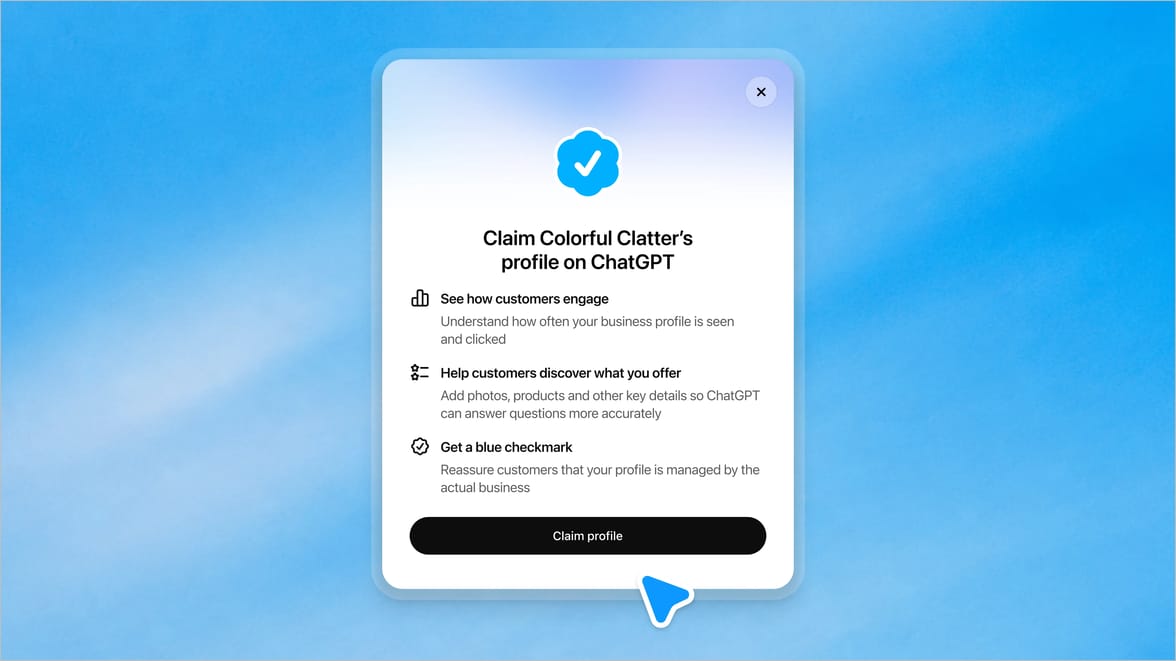
Businesses in ChatGPT (Business Hub) is OpenAI's directory for companies inside ChatGPT: businesses can claim their profile, get verified, manage their business details and product feeds themselves, and use Insights to see how often ChatGPT mentions them and sends clicks to their website.
What is the ChatGPT Business Hub?
The Business Hub fills a gap in AI search: ChatGPT answers questions about companies based on web sources, but until now, companies had no official place to supply their own facts. The Business Hub closes that gap. Companies claim their profile (similar to a Google Business Profile), verify ownership, maintain business details, and provide product feeds with pricing and availability.
The timing is remarkable: OpenAI launched the Business Hub in beta in November 2026, only months after AI agents became a significant share of website traffic. Anyone who builds their profile now is present in the directory ChatGPT will draw on for business facts, before the crowd arrives.
How do you claim your company in ChatGPT?
Four steps:
-
Start the claim: Find your organization in the Business Hub and claim it, or create it if it isn't listed yet.
-
Verify ownership: OpenAI accepts a code via your company email or phone number, a DNS TXT record on your domain, or verification via Shopify, depending on your setup. The domain route is a one-liner in your DNS settings, no CMS changes required.
-
Complete the Persona check: An identity check confirms a legitimate person is behind the claim.
-
Fill in the profile: Once approved, the editable fields open up, category, services, service area, return policies and more, plus product feeds.
A practical tip from branchly: Your profile facts should match your website word for word, category, service area, return policy. If your website says something different from your profile, ChatGPT is handed two versions of the truth and picks one itself.
What belongs in the profile and what in the product feed?
-
Profile: Category, location/service area, contact channels, business details, short descriptive copy, everything ChatGPT could need to classify the company correctly.
-
Product feed: Offers with pricing and availability, maintained by you instead of hoping a crawler index is current. For software vendors: plans, target groups and core features as structured entries.
-
What it does NOT do: The profile does not control who ChatGPT recommends. OpenAI is explicit that ChatGPT continues to make independent recommendations and comparisons. The profile supplies facts, the recommendation logic stays with the AI.
Insights: citation data that didn't exist before
The most valuable part for marketing teams: the Business Hub shows a 28-day window of how people interact with your company in ChatGPT:
-
Mentions: In how many answers was your company mentioned or cited?
-
Website clicks: How many clicks went from ChatGPT to your website?
-
Discovery themes: Which topics led users to the question in which your company appears?
This makes GEO directly measurable for the first time, without estimation tools or proxy metrics. The themes also show which question contexts surface your company, and therefore which content increases your citation probability further.
ChatGPT Business Hub vs. Google Business Profile
|
Aspect |
ChatGPT Business Hub |
Google Business Profile |
|---|---|---|
|
Purpose |
Facts + feeds for AI answers |
Local visibility in Google Search/Maps |
|
Verification |
Email/phone, DNS TXT, Shopify + Persona check |
Postcard, video call, email, etc. |
|
Product feeds |
Yes, pricing & availability, self-maintained |
Yes (product catalog) |
|
Insights |
Mentions, website clicks, discovery themes (28 days) |
Views, calls, directions |
|
Online-only businesses |
Eligible |
Restricted (local-presence focus) |
|
Status |
Beta (Nov 2026) |
Established |
The two don't replace each other: the Google Business Profile serves local search, the ChatGPT Business Hub serves the AI answer engines. Businesses with local customers should run both.
A third tool in the toolbox
Website visibility so far came with two standard tools: Google Search Console for visibility in Google Search, and Bing Webmaster Tools for Bing. The ChatGPT Business Hub adds the third pillar, not as a measurement tool for a search engine, but as a self-service management and measurement tool for AI answer engines: maintain facts, supply feeds, and see in Insights where ChatGPT mentions your company and sends clicks. Anyone serious about website visibility today runs all three.
Who benefits from a profile?
Any organization whose customers or users might ask questions about it, which covers most companies with content-rich websites. It is especially relevant where purchase decisions run through comparisons: e-commerce, consulting, tourism, education providers and B2B2C vendors whose products appear in AI comparisons. Companies without a physical location, which Google Business Profile largely excluded anyway, get their first official directory here.
How the profile connects with the rest of your website AI
The profile is the external part of a bigger picture, and ChatGPT makes your website the visible foundation: in answers with business references, ChatGPT explicitly links to your URL and flags that it is using content from your website. The citation doesn't just point at your page, it makes your page the source of the statement.
That leads to the strategic point: The more ChatGPT points to your website, the more important your website becomes as the foundation of your entire communication. If the Business Hub profile gets you cited correctly but the visitor lands on a static page, you lose them at the exact moment their specific follow-up question arises. The website has to deliver what ChatGPT promises: answer the visitor's question directly, in seconds, in context.
The full GEO loop therefore has three layers: a correct business profile (so ChatGPT has the right facts), citable content (so the citation happens), and a website that answers visitor questions in seconds (so the AI reference becomes an interaction). A static website converts AI referrals poorly, because it can't talk to the traffic ChatGPT sends.
Related terms
Frequently asked questions
What is "Businesses in ChatGPT"?
OpenAI's directory for companies: claim and verify your profile, maintain business details and product feeds, and use Insights to see how often ChatGPT mentions your company and sends clicks to your website.
Is it free?
Claiming the profile is free; OpenAI has announced extended features for the business ecosystem whose pricing models are not final yet (beta status as of November 2026).
How long does verification take?
Ownership checks run in minutes to days depending on the method (email, phone, DNS TXT, Shopify), followed by the Persona check. Profile fields and Insights only become editable/visible after both approvals.
Can the profile influence who ChatGPT recommends?
No. The profile supplies correct facts and feeds, but ChatGPT makes recommendations and comparisons independently. A maintained profile ensures the facts are right, not the recommendation.
Does my profile have to match my website?
Yes, word for word on the facts that matter (category, service area, return policy). Contradictions between profile and website hand ChatGPT two versions of the truth.
What is the difference from Google Business Profile?
The ChatGPT Business Hub serves AI answer engines (mentions, clicks, feeds); the Google Business Profile serves local Google Search and Maps. For online-only businesses, the ChatGPT Hub is often the first official directory option at all.
How do I measure whether it pays off?
Through the Business Hub insights: mentions and website clicks in the 28-day window, plus discovery themes as a signal of which question contexts your company shows up in. On the website side, usage and conversion measurement show what happens with the ChatGPT visitors.